
.png)
.jpg)

- KVM Switch Docking Station x 1
- Power Adapter (DC 20V 6A) with EU plug x 1
- USB 3.0 Type-A to Type-B Cable(1.8m) x 1
- DP 1.4 Cables (1.5m) x 2
- USB 3.2 Gen 2Full-Featured Type-C Cable (1m) x 1
- HDMI 2.0 Cable (5m) x 1
- Wired Button Switch x 1
- User Manual x 1 (only in english)


3-Monitor Hybrid KVM-Switch 1-PC (8K60Hz 4K165Hz -- 2x DP 1x HDMI) and 1x Laptop USB-C, AV Access iDock-B23



3-Monitor Hybrid KVM-Switch 1-PC (8K60Hz 4K165Hz -- 2x DP 1x HDMI) and 1x Laptop USB-C, AV Access iDock-B23
For Work & Game with Three Screens.
Simply switch your three monitors, keyboard/mouse, audio, and other USB devices between your gaming PC and laptop. The laptop will automatically charge via the single USB-C cable, and both computers will automatically and simultaneously (in parallel) connect to the wired LAN/Internet.
iDock B23 adapts your triple-screen setup to coding, trading, content creation, or gaming—delivering unmatched efficiency, immersion, and control.
Link to the manufacturer AV Access: AV Access Support Center (English)
● A Laptop and a Desktop: Connect one laptop and one desktop, and switch between them with ease using one button.
● Triple Monitor Design: Support triple monitor setups for both PCs — perfect for multitasking.
● Immersive 8K Ultra HD: Support up to 8K@60Hz for an incredible visual experience.
● Ultra High Refresh Rate: Support various high refresh rates for gaming, such as 4K@165Hz, 1440P@240Hz, and 1080P@240Hz.
For the desktop, you can extend up to three 8K@60Hz monitors.
For the laptop (from USB-C 3.2 Gen.2), you can extend up to two 4K@60Hz plus a 4K@30Hz monitor (for a full list of supported resolutions, you can check in the user manual).
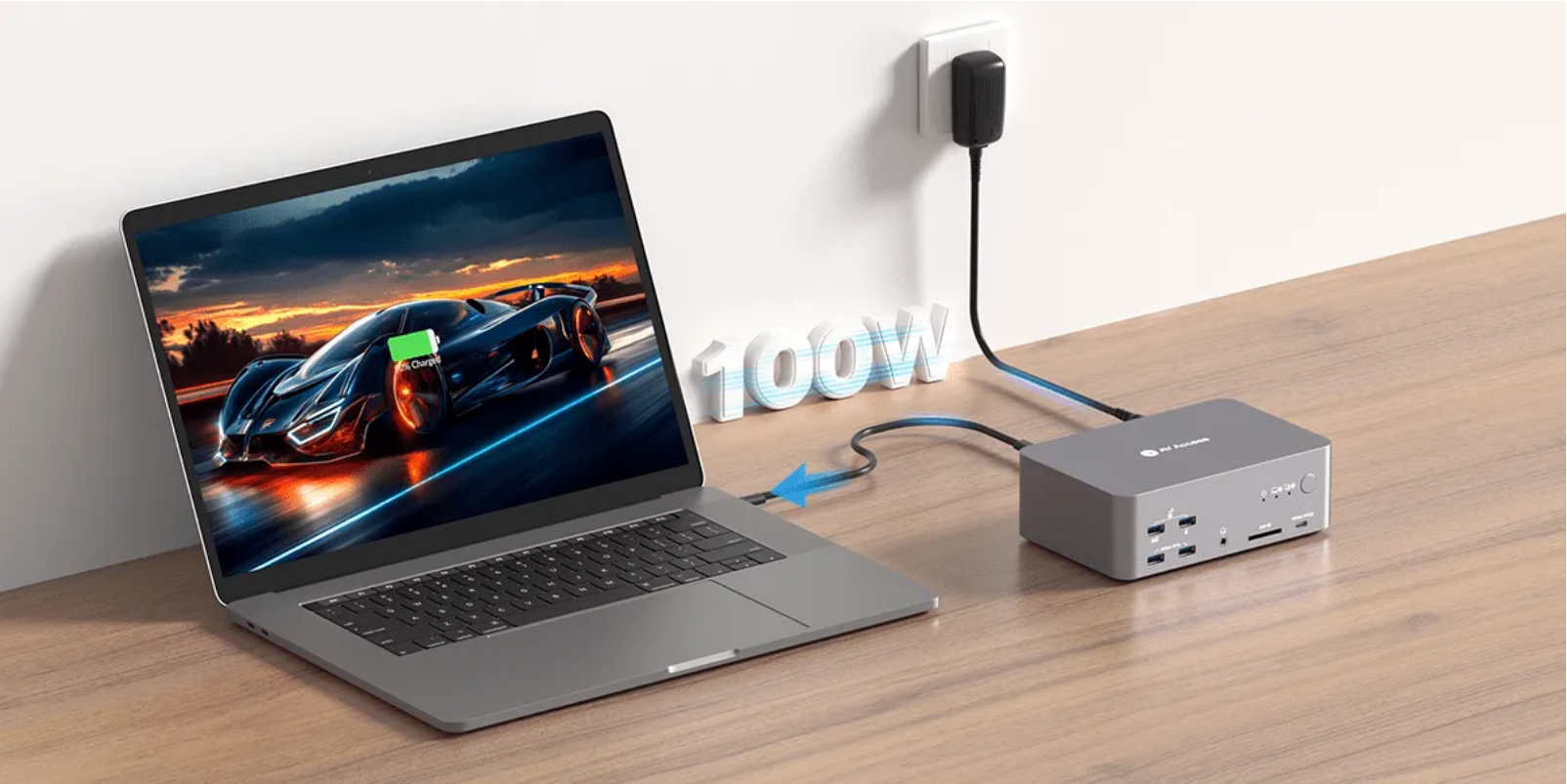
● 100W Power Delivery: Keep your laptop charged with 100W power delivery via a full-featured USB-C port.
● 12 More Ports: Share peripherals between two PCs with USB-C, USB 3.0, Ethernet, audio, SD card slot, and HDMI/DP video outputs.
● Ethernet for Both PCs: Both PCs share a stable 1G Ethernet connection for uninterrupted internet access.
● Easy Switching Methods: Toggle sources via the front panel button or remote cable-controller (Included in the package).
● Automatic PC Wake-up: Wake up your sleeping PCs automatically when you press the switch button.
System requirements:
PC with 2x DisplayPort outputs + 1x HDMI output (possibly adapted from DisplayPort) + 1x USB-A
Notebook with USB-C 3.2 Gen 2 or higher
2x monitors with DisplayPort inputs
1x monitor with HDMI input
Technical notes: USB-C 3.2 Gen 2 (or USB-C 4) is required for video output via USB-C.
Only this standard supports the necessary DP Alt Mode and works with USB-C docking stations to drive three monitors at resolutions higher than 1080p.
This model also supports Thunderbolt 4 (TB4) on Windows PCs.
With Thunderbolt 4 on a Mac, however, the same image would simply be duplicated across the screens, as macOS uses DisplayLink technology rather than MST to extend the desktop.
1. EDID emulation is not supported.
2. MacOS does not support MST and will only show duplicate screens.
3. Your desktop PC can extend to three screens at up to 8K@60Hz or 4K@165Hz. Your laptop can extend to two screens at 4K@60Hz and one screen at 4K@30Hz.
4. Use certified HDMI 2.1 and DP 2.0/1.4a cables if you need 8K@60Hz/4K@165Hz.
5. Not useable for Mac devices. Mac does not use MST to "enhance the display".
Enjoy more screen real estate, enhanced connectivity with 12 extra ports, and switch everything between two computers in one click.

Empower the Way You Play
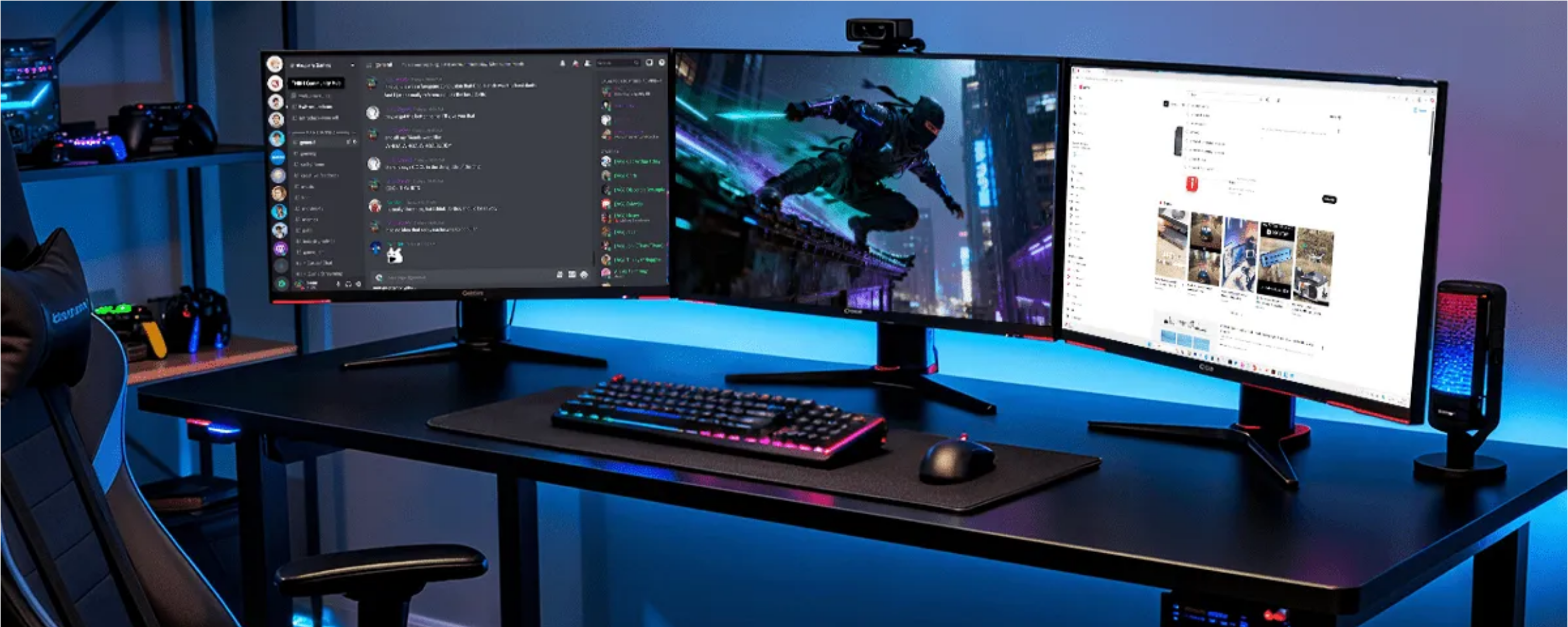
Enjoy buttery-smooth gameplay and unlock multitasking freedom with triple monitors to play, chat, and stream all at once.
|
240HZ REFRESH RATE Game at Your Full Potential
Game like a pro with 4K@165Hz, 1440p@240Hz, or 1080p@240Hz performance. Enjoy ultra-smooth gameplay with G-Sync, FreeSync, and VRR support.
|
TRIPLE MONITOR Play, Chat and Stream All at Once
You can dive into the game itself while staying connected to your community and keeping tips and guides just a glance away. Triple monitors also make game streaming easier.
|

Reinvent the Way You Work
Work across three displays and keep everything visible without constant tab-switching. With up to 8K clarity on each screen, every detail stays sharp and easy to see.

|
TRIPLE MONITOR Less Tab-switching, More Productivity
With three monitors, you can have all the important apps and documents spread out in front of you. Stay connected and stay productive.
|
8K ULTRA HD Create Like a Pro with 8K Images
8K UHD images deliver unmatched clarity and precision for professionals like photographers, graphic designers and video editors.
|

12-IN-1 DOCKING STATION
Bring Your Desk Setup to the Next Level

|
USB 3.2 PORTS Transfer Files at a Higher SpeedTransfer large files, back up data, or connect high-speed peripherals in seconds. With blazing 10Gbps USB ports, your workflow stays fast and uninterrupted. |
|
|
POWER DELIVERY 100W Power, Zero DowntimeKeep your laptop charged with 100W power delivery so that you can stay focused on your tasks but not your battery. Game on, work on as long as you like. |
 |
1G ETHERNET
Wired Internet, Shared Between Two PCs
The Ethernet port provides stable 1G wired network for your laptop and desktop simultaneously.
No interruption while switching. You are always connected.

Make Your Workflow as Seamless as Possible
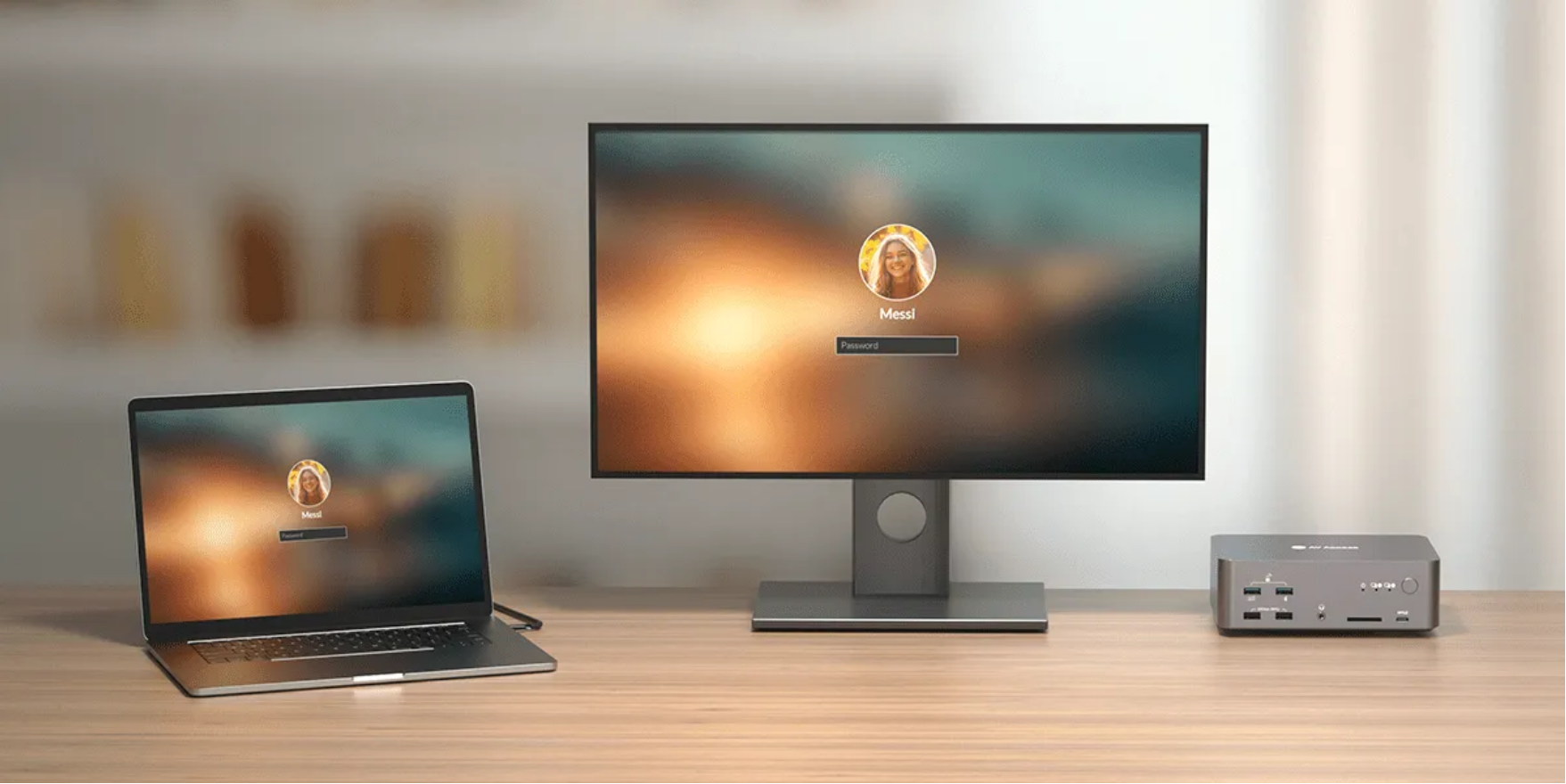
Wake them automatically and switch systems in one click. Move between tasks without breaking your workflow.
|
AUTO WAKEUP Wake Your Sleeping PCEasily wake up your sleeping desktop or laptop when you switch. Seamless transitions help you stay in the flow. |
 |
|
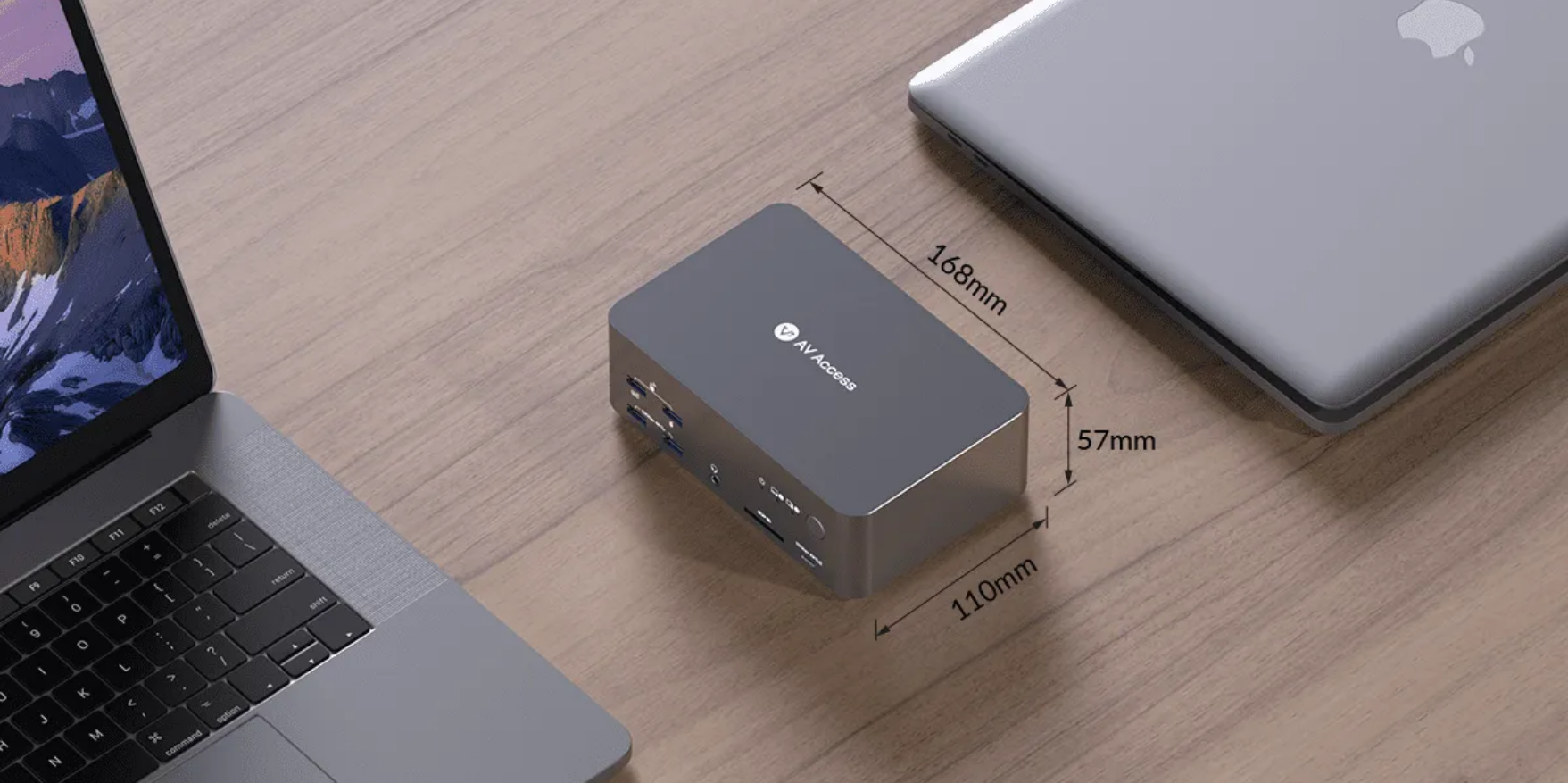 |
Full-Aluminum Casing Enjoy Easy Carrying with Premium QualityFeaturing a full-aluminum casing with a compact size, it offers the perfect balance of premium quality and portability. |
SWITCHING METHOD
Switch Everything in One Click
You can route all screens and peripherals from one PC to another, also long press the front button to power off and save energy.

|
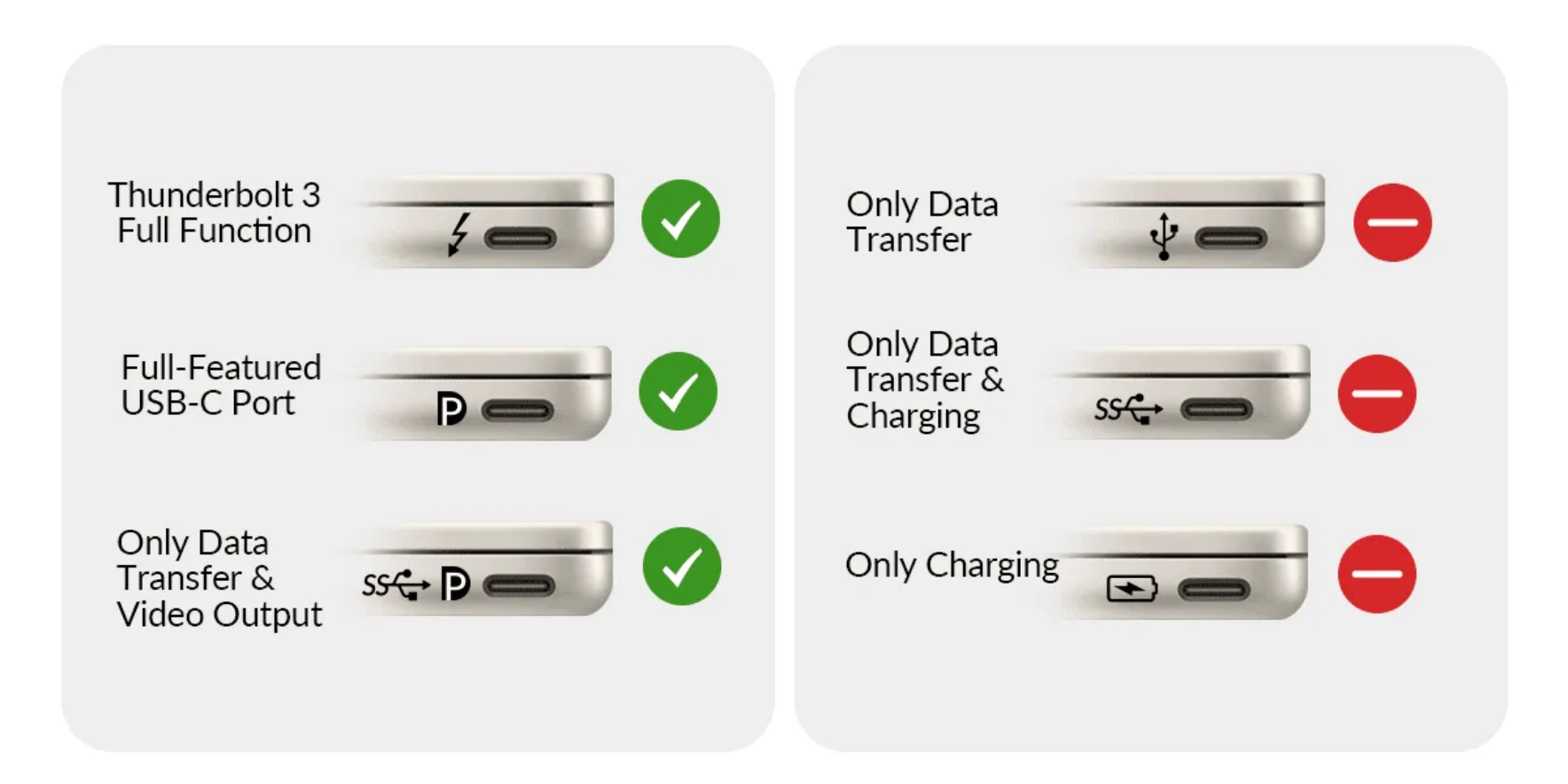
Compatibility Check Simple Check for Seamless Use
In case of any compatibility problem, please confirm if the USB-C port on your laptop supports video output and data transfer. |
TYPICAL APPLICATIONS
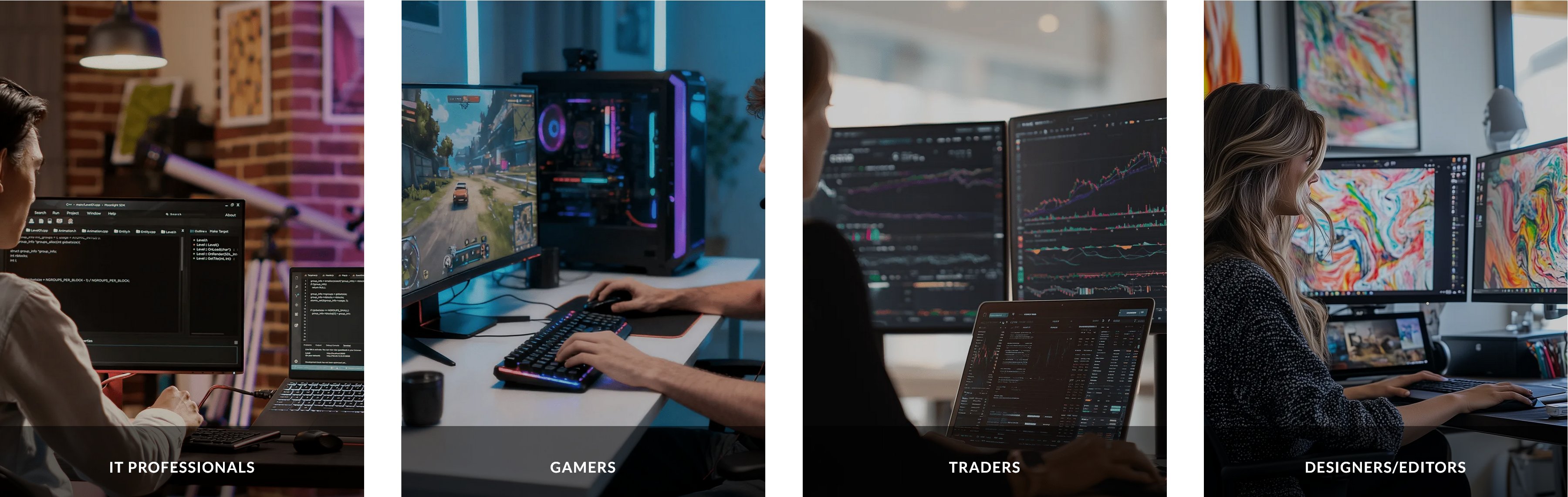
For Work & Game with Three Screens
iDock B23 adapts your triple-screen setup to coding, trading, content creation, or gaming—delivering unmatched efficiency, immersion, and control.
In the Box
Specifications:
| Technical | |
| Video Input | ·1 x USB-C IN (Rear panel): DP Alt mode, MST/SST, DSC, DP 1.4a
·1 x HDMI IN, 2 x DP IN: HDMI 2.1, DP 1.4a & DP 2.0 |
| Video Output | ·1 x HDMI OUT: HDMI 2.1
· 2 x DP OUT: DP 1.4a & 2.0 |
| Peripheral and Expansion Ports | · USB-C x 2:
‐ USB-C IN (Rear panel): USB 3.2 Gen 2 (10Gbps), supports 1Gbps Ethernet passthrough and up to100W PD charging ‐ (Front panel): USB 3.2 Gen 2 (10Gbps), supports 5V/1.5A output · USB-A x 5: ‐ x 2: USB 3.2 Gen 2 (10Gbps), shared 2.5A output ‐ x 1 & x 1: USB 3.0 (5Gbps), shared 2.5A output ‐ x 1 (Rear panel): USB 3.2 Gen 2 (10Gbps), supports up to 1.5A output · USB-B x 1: USB 3.2 Gen 2 (10Gbps), supports 1Gbps Ethernet passthrough · SDXC slot: Data rate up to 104MB/s; supports capacity up to 2TB · LAN (RJ-45): Supports 1Gbps Ethernet passthrough |
| Input Resolutions | · For LAPTOP: Up to 4K@60Hz
· For DESKTOP: Up to 8K@60Hz, 4K@165Hz/144Hz/120Hz |
| Output Resolutions | Up to 8K@60Hz and 4K@165Hz |
| HDR Format Supported | Supports all mainstream HDR formats including HDR10, HLG, HDR10+, and Dolby Vision |
| Audio Format Supported | · USB-C IN: Fully supports multiple channel audio formats, including PCM 2.0/5.1/7.1, Dolby TrueHD, Dolby Atmos, DTS-HD Master Audio and DTS:X
· HDMI/DP: Supports all HDMI 2.1 and DP 2.0 standard audio formats, including PCM 2.0/5.1/7.1, Dolby TrueHD, Dolby Atmos, DTS-HD Master Audio, and DTS:X · 3.5mm Audio Jack: Stereo |
| Max Video Data Rate | USB-C IN: | HDMI: 48Gpbs | DP: 54Gbps (13.5Gbps per channel) |
| General | |
| Operating Temperature | 0°C to 45°C (32 to 113°F) |
| Storage Temperature | -20 to 70°C (-4 to 158°F) |
| Humidity | 20% to 90%, non-condensing |
| Power Consumption | 17W (Max, without USB load) |
| Device Dimensions
(W x H x D) |
168mm x 55mm x 110mm/ 6.61’’ x 2.17’’ x 4.33’’ |
| Product Weight | 0.73kg/1.61lbs |
Resolutions and AWG
| Resolution | Input Cable Length | Output Cable Length | AWG |
| 8K@60Hz | ≤ 2m | ≤ 2m | 30AWG |
| 4K@165Hz | ≤ 2m | ≤ 2m | 30AWG |
| 4K@120Hz | ≤ 2m | ≤ 2m | 30AWG |
| 4K@60Hz | ≤ 3m | ≤ 3m | 30AWG |
Note:
- For optimal performance, use high-quality HDMI cables that comply with official certification standards.
- All data were obtained under controlled laboratory conditions and may vary depending on usage environment.
FAQs
Q: Does the iDock-B23 support G-Sync, FreeSync and VRR?
A: Yes, the iDock B23 supports G-Sync, FreeSync, and VRR on PC side DP connector level.
Q: Does iDock-B23 support EDID emulation?
A: No, iDock B23 does not support EDID emulation.
Reason: all KVM switches with DP-out cannot do this due to technological limitations.
Q: What switching methods does iDock-B23 support?
A: You can switch via the front panel button or a wired remote controller.
All three monitors and the rest of the connections (USB, audio, etc.) are switched to the selected computer.
Only the LAN is permanently connected to both computers.
Q: What resolutions does iDock-B23 support?
A: For the desktop, you can extend up to three 8K@60Hz monitors.
For the laptop (from USB-C 3.2 Gen.3), you can extend up to two 4K@60Hz plus a 4K@30Hz monitor (for a full list of supported resolutions, you can check in the user manual).
Q: Can I use iDock-B23 with only one or two monitors?
A: Yes, you can just connect to two monitors. Just be careful how input ports and output ports work in pairs (eg, HDMI IN A with HDMI OUT A). If you are using one laptop, one desktop and two monitors, iDock C10 or iDock B10 might be better for you.
Q: Does iDock-B23 work well for gamers?
A: Yes, iDock B23 is designed for gamers. There is no latency caused by the KVM switch and it supports up to 8K@60hz, 4K@165hz and 1440P@240hz high-refreshing resolutions. With three monitors, you can multitask more easily – chat with groups, search for tips while you are playing.
Note: Only the PC port supports the very high resolutions.
For the desktop, you can extend up to three 8K@60Hz monitors.
For the laptop (from USB-C 3.2 Gen.3), you can extend up to two 4K@60Hz plus a 4K@30Hz monitor (for a full list of supported resolutions, you can check in the user manual).
Q: Can I use a MacBook with iDock-B23?
A: Not really. If you connect to a Mac device, you will get three duplicate screens.
a) The PC side does not work with a Mac, as a Mac does not provide 2x DP and 1x HDMI ports.
b) The USB-C side does not work with a Mac, because a Mac uses its own proprietary DisplayLink technology—rather than the standard MST technology—to extend the desktop.
Q: What are the differences between iDock-B23 and iDock-D23?
A: iDock B23 and iDock D23 are both KVM switches for three monitors up to 8K@60Hz. Here are their differences.
1) iDock B23 connects one laptop, one desktop PC and three monitors; iDock D23 connects two desktop PCs and three monitors.
2) With iDock B23, you can connect your monitors and desktop PC via one HDMI and two DP ports; iDock D23 connects your monitors and PCs with only DisplayPort connectors.
3) iDock B23 has USB ports with higher standards (USB 3.2 with 10 Gbps); iDock D23 provides a USB 1.1 port for Hotkey switching.
Q: What is the difference between iDock and software KVM solutions?
A: iDock combines features of a KVM switch and a docking station. It aims to build a more advanced desk setup than a software KVM solution, which can significantly improve your workflow.
1. In addition to sharing a keyboard and a mouse, you can also share multiple monitors between computers.
2. It boosts your connectivity with a good variety of ports, such as USB, SD card slot, audio, LAN, etc.
3. iDock is totally plug-and-play and does not rely on a network to work; it requires no software or driver, which brings zero security risks to your work device.